



Create an incoming call trigger in a few steps
If you just need the essentials, follow this:
- Confirm a voice-enabled channel/number is connected and enabled
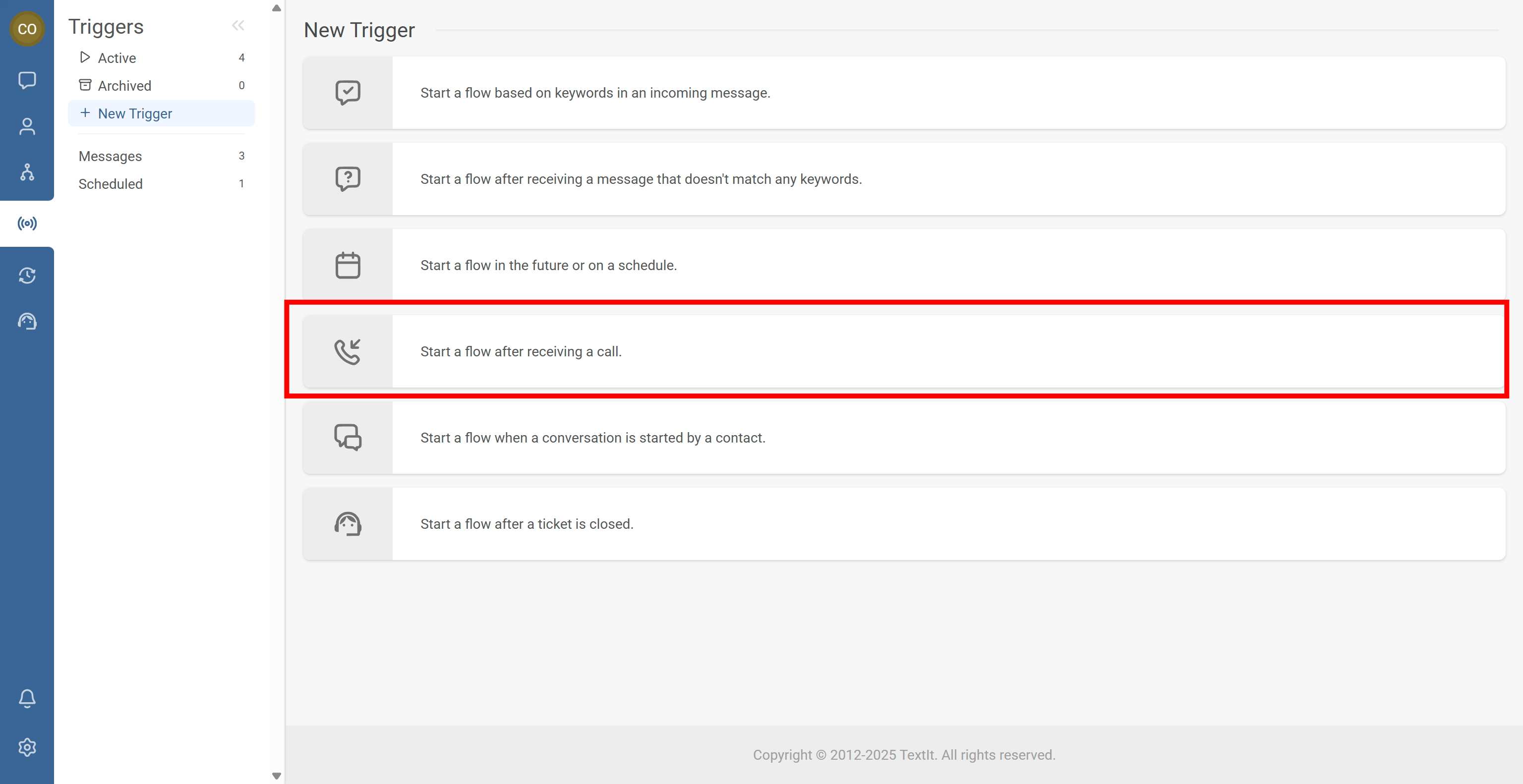
- Go to Triggers, click + New Trigger, and select Start a flow after receiving a call
- Choose the call behavior: answer & start voice flow or hang up & start messaging flow
- Select the flow and optionally restrict by voice channel/number and groups
- Save, then test by placing a real call and checking logs
You’re done. Calls to your voice number can now launch the correct flow automatically.
Step-by-Step Process
When Voice (IVR) is set up, this trigger starts a flow when RapidPro.app receives an incoming phone call from a contact. You can route callers into an IVR experience,
or hang up and start a messaging flow as a follow-up.
- Go to the Triggers tab.
- Click + New Trigger.
- Scroll to Start a flow after receiving a call and select it.
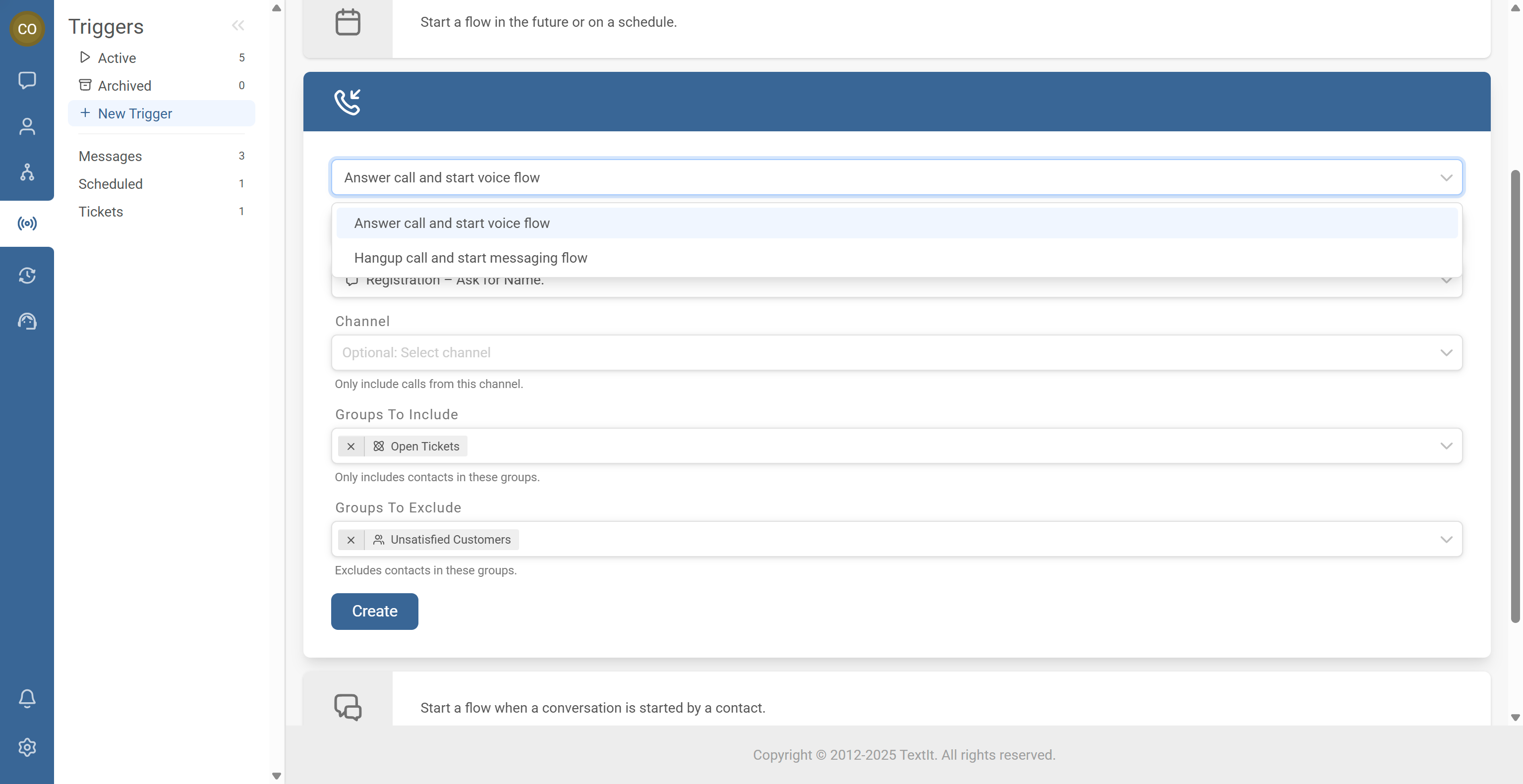
Select one of the following behaviors:
- Answer the call and start a voice flow (IVR / Phone Call flow)
- Hang up and start a messaging flow
- Choose the IVR/phone call flow you want to start.
- Optional: Select the voice channel or phone number this trigger should apply to. If you leave this blank, the trigger will apply to any eligible voice channel.
- Optional: Add include/exclude group rules to control who can trigger the flow.
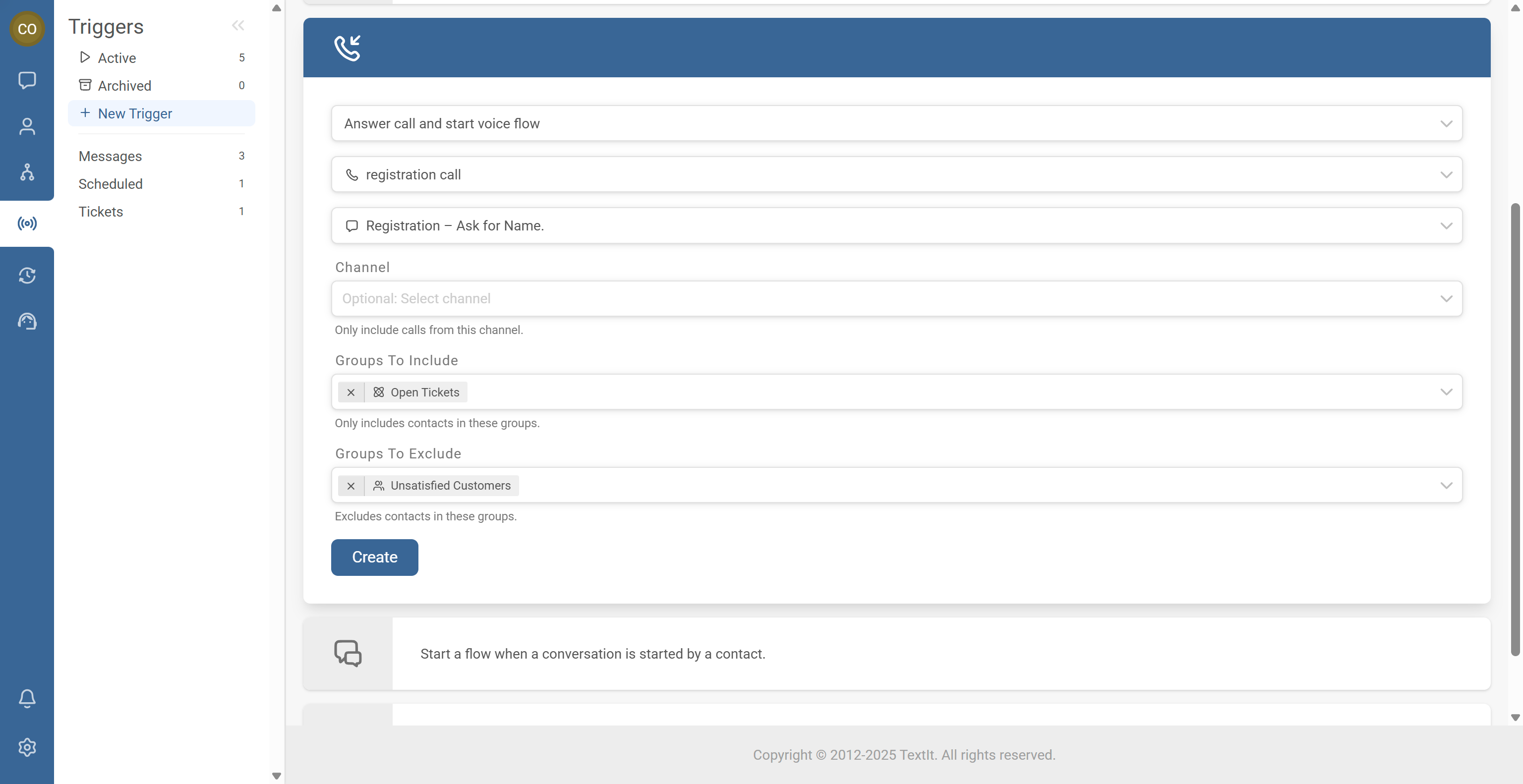
- Click Create to save.
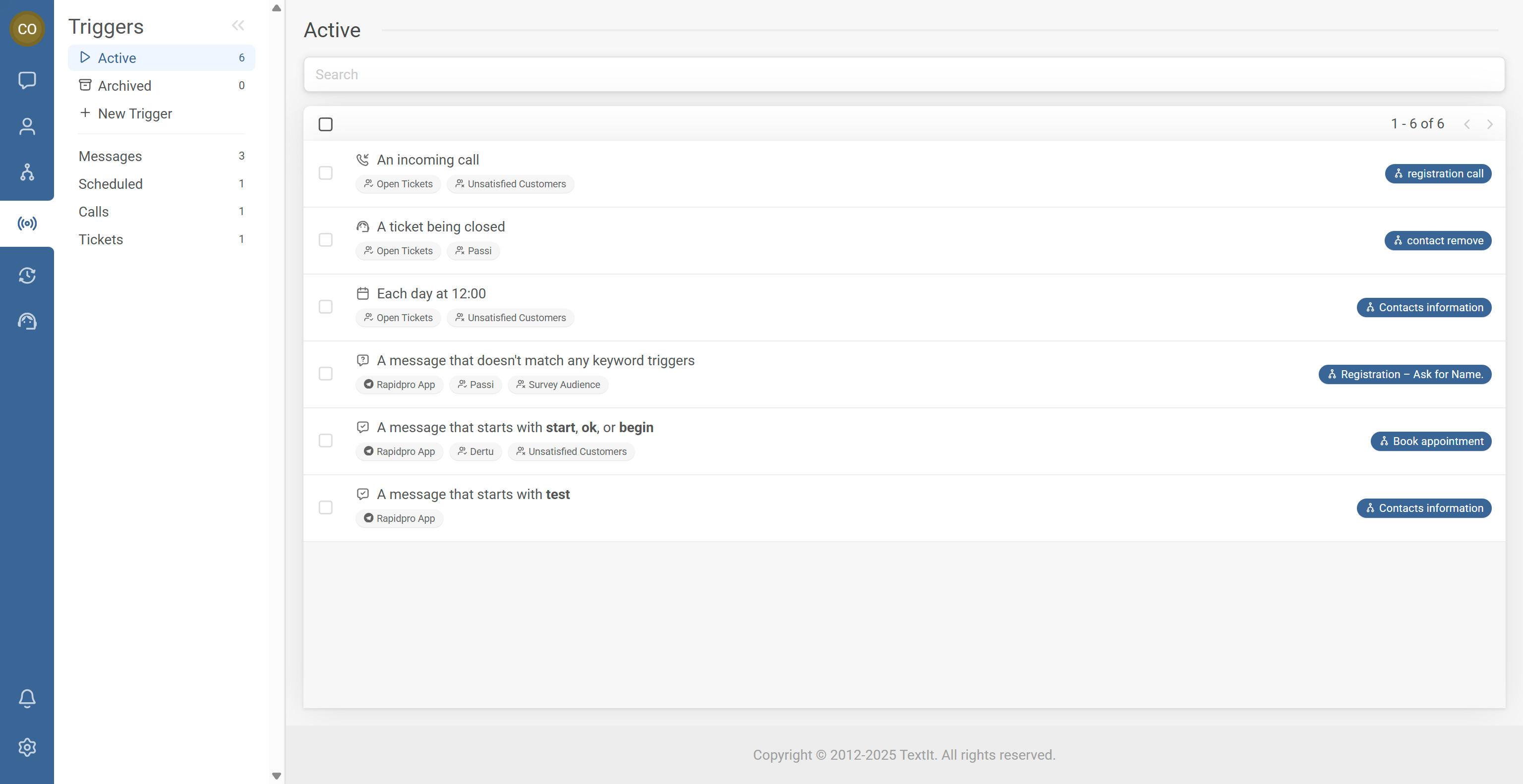
- Confirm it appears in your Active Triggers list.
- Place a real call to the number and confirm the flow starts.
- If it doesn’t start, review logs to identify what prevented the trigger from firing.
Common Issues & Quick Fixes
Problem: Calls don’t start the flow.
Fix: Confirm the channel/number is voice-enabled and enabled, check the trigger is active, verify you called the selected number if the trigger is channel-restricted, and review include/exclude group filters.
Problem: The caller hears nothing or the call drops.
Fix: Ensure you selected Answer the call and start a voice flow, and verify the chosen flow is a Phone Call / IVR flow (not a messaging flow).
Problem: The wrong flow starts for calls.
Fix: Check for multiple incoming call triggers on the same channel, and restrict triggers by channel/number to avoid conflicts.