



Set up a catch-all trigger in a few steps
If you just need the essentials, follow this:
- Confirm you have at least one keyword trigger (catch-all only runs after keywords fail)
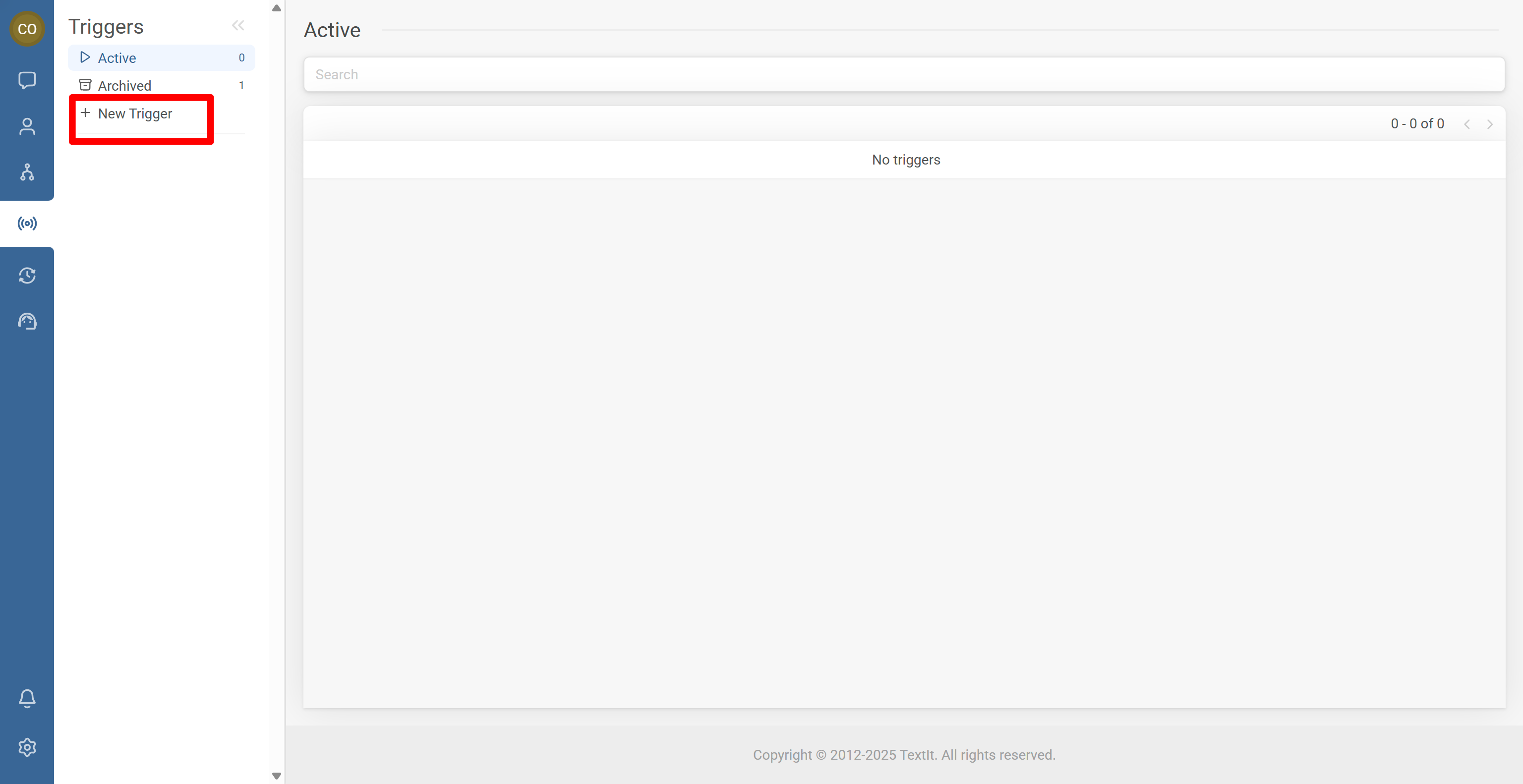
- Go to Triggers and click + New Trigger
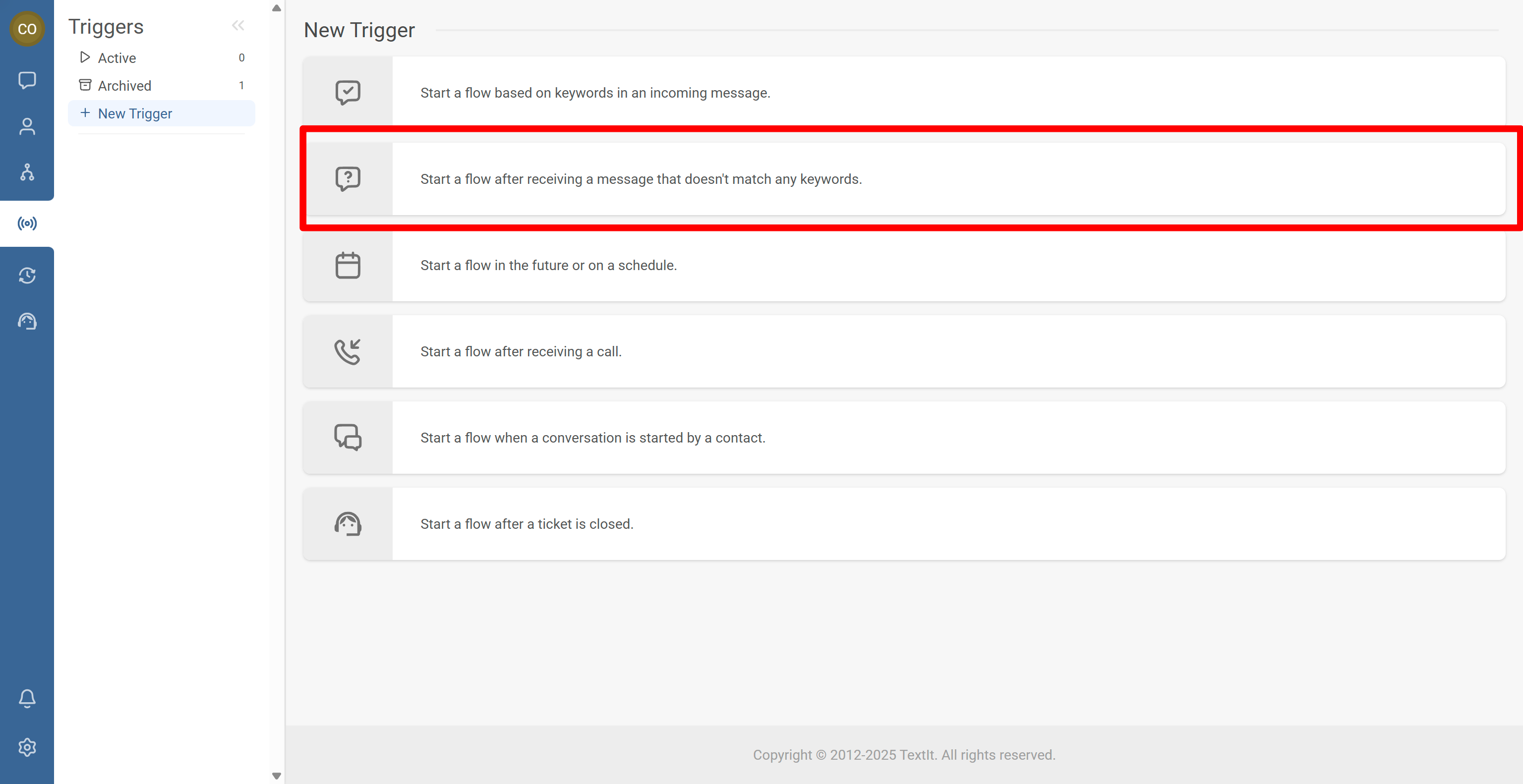
- Select Start a flow after receiving a message that doesn’t match any keywords
- Choose the fallback flow and review optional channel and group restrictions
- Save and test with a real message that matches no keywords
You’re done. Messages that don’t match any keywords can now be routed to a safe fallback flow instead of being ignored.
Step-by-Step Process
RapidPro.app evaluates catch-all triggers only after keyword triggers have been checked.
- RapidPro first checks keyword triggers.
- If no keyword matches, the catch-all trigger is evaluated.
- If configured, the selected flow is started.
- Go to the Triggers tab.
- Click + New Trigger.
- Select Start a flow after receiving a message that doesn’t match any keywords.
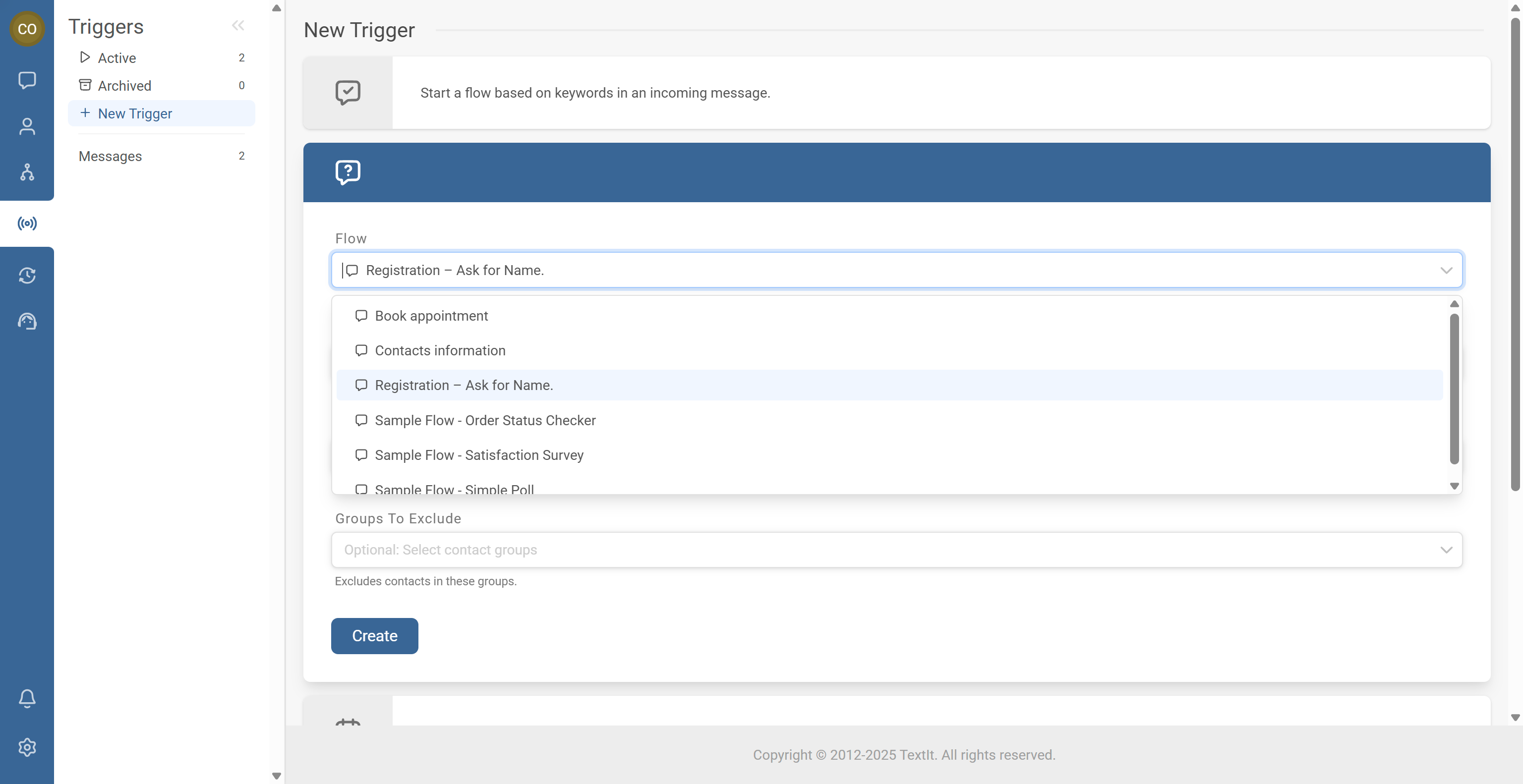
Select the flow to start
- Choose the flow that should handle uncaught messages.
Common choices include a main menu, a Help/FAQ flow, or a human handoff flow.
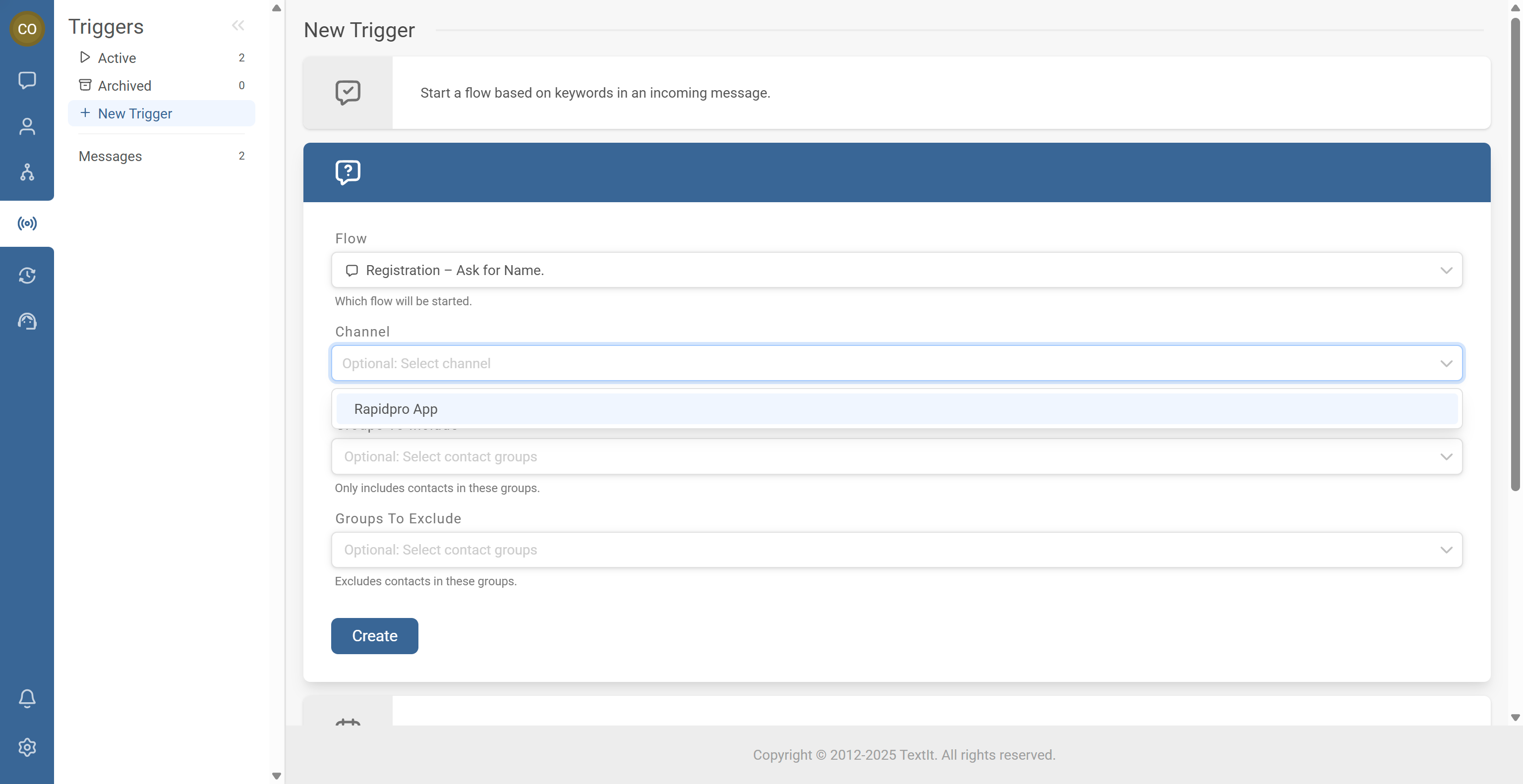
Optional: Restrict by channel
You can limit the trigger to a specific channel (for example, SMS or Telegram).
- If no channel is selected, the trigger applies to all channels.
- If a channel is selected, it only applies to messages received on that channel.
Optional: Include or exclude groups
You may restrict the trigger to only certain groups, or exclude certain groups. If left empty, it applies to all contacts.
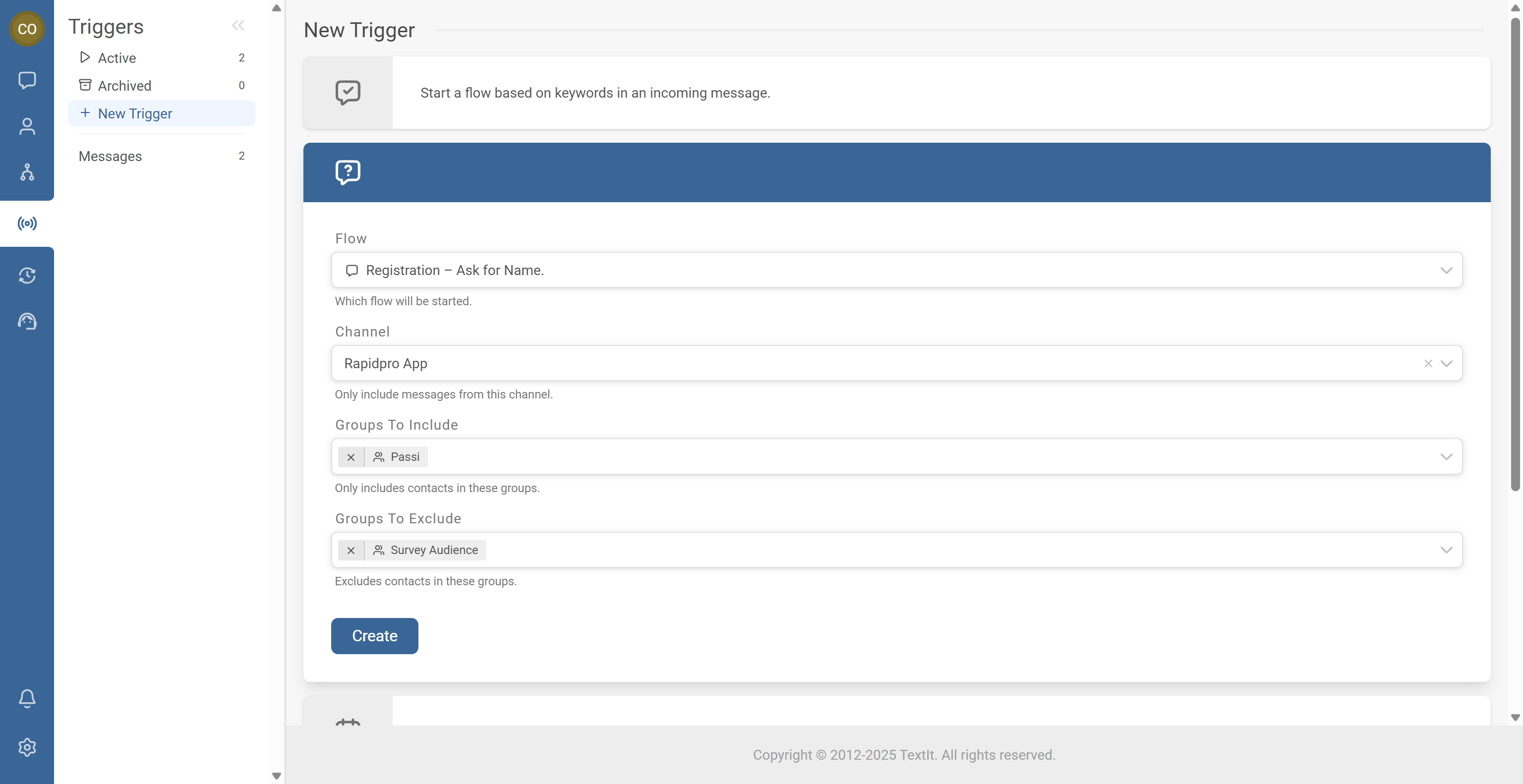
- Click Create to save.
- Confirm it appears in your list of active triggers.
- Send a message that doesn’t match any keyword and confirm the fallback flow starts.
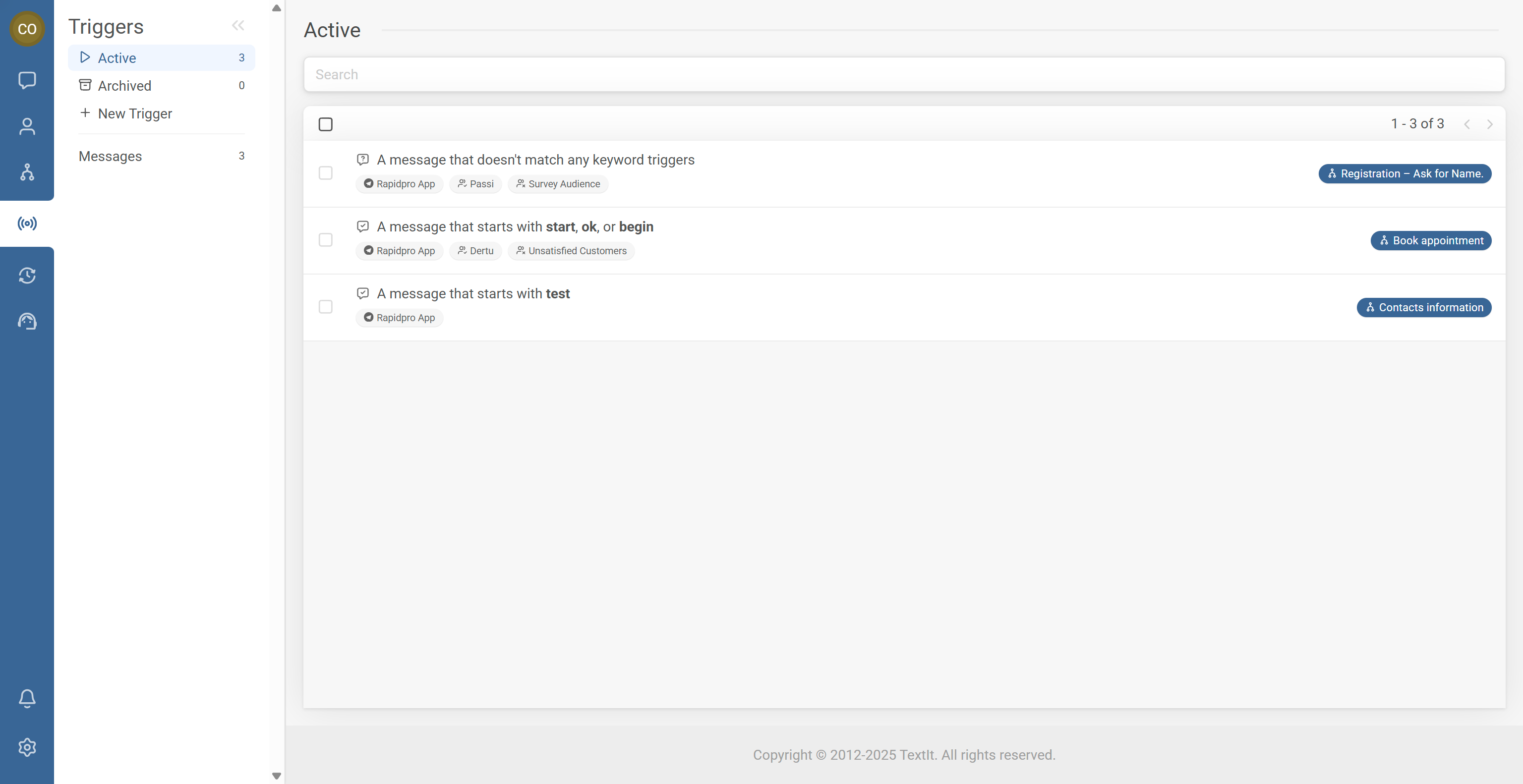
Example: A message arrives on the Twilio SMS channel, doesn’t match any keyword triggers, and RapidPro.app starts the “Registration” flow.
This helps guide users who misspell or forget keywords.
Common Issues & Quick Fixes
Problem: The catch-all trigger never fires.
Fix: Confirm at least one keyword trigger exists, verify the message truly doesn’t match any keyword, and check whether channel restrictions prevent the trigger from applying.
Problem: The catch-all starts when it shouldn’t.
Fix: Review keyword triggers for overlaps and confirm keyword spelling and matching options are configured correctly.
Problem: The catch-all causes loops.
Fix: Avoid sending contacts back into the same catch-all condition. Route contacts to a menu or human handoff so the flow guides them forward instead of repeating the same message.