
Introduction: Sometimes an IVR menu isn’t enough—you want callers to reach a real person. In RapidPro.app Voice (IVR) flows, you can forward a live call to another phone number using Wait for Forwarded Call, then route the caller based on what happened (answered, no answer, busy, or failed).



Forward calls to an agent (with safe fallbacks)
If you just need the essentials, follow this quick path:
- Offer a clear “Talk to an agent” menu option before forwarding
- Add Wait for Forwarded Call and enter the destination number
- Connect all 4 exits (Answered / No Answer / Busy / Failed)
- Add caller-friendly follow-ups for each outcome
- Notify your team on failures (and track issues)
This keeps callers from getting stuck and helps your team respond when forwarding doesn’t work.
Step-by-Step Process
Goal: Give callers a clear option to talk to a live agent.
- In your Voice (IVR) flow, add a Play Message that explains the choices (example: “Press 1 to speak to an agent, press 2 to leave a message.”).
- Add an IVR menu split (example: Wait for Menu Selection).
- Connect the Speak to an agent option to your forwarding step.
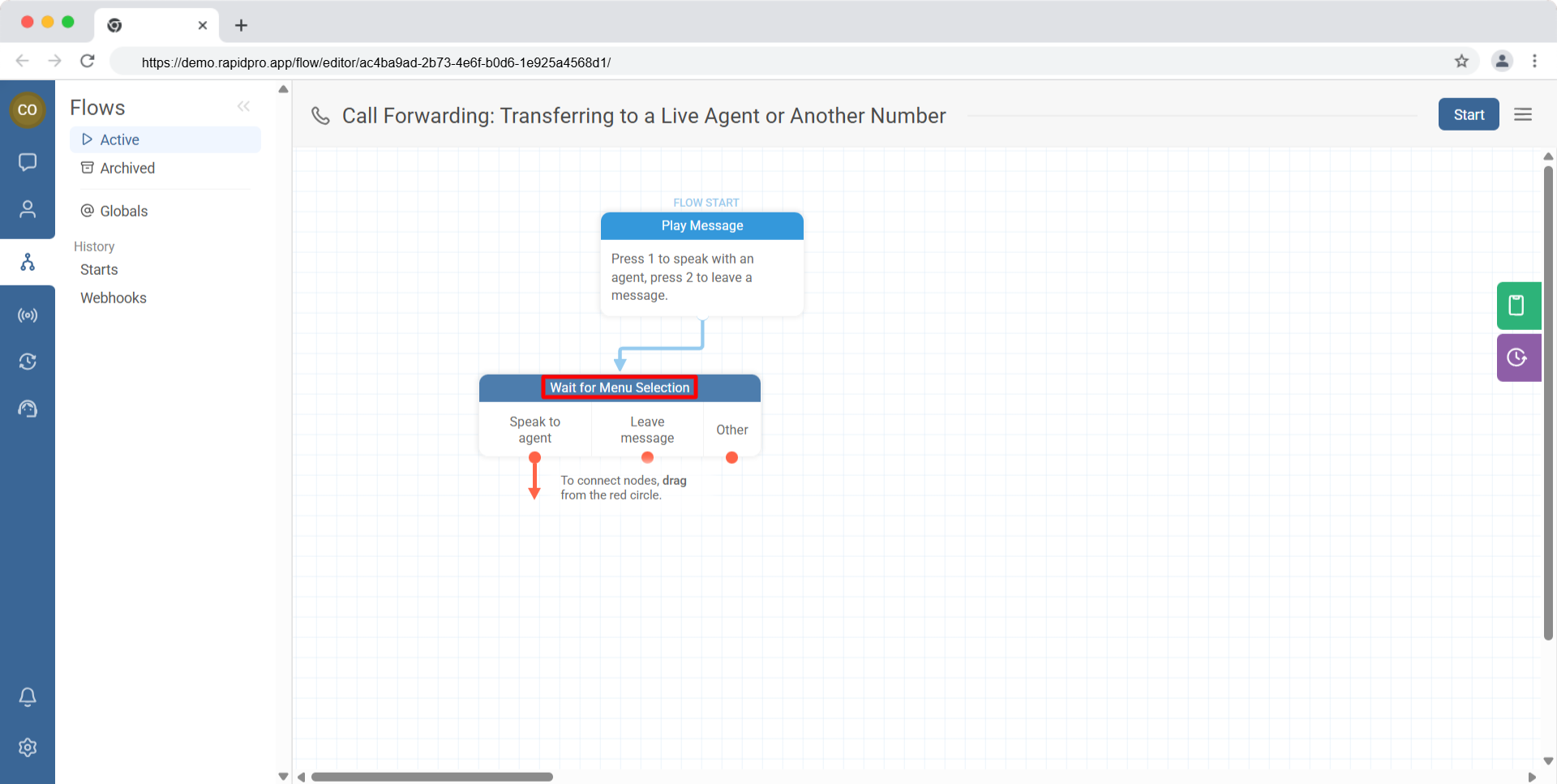
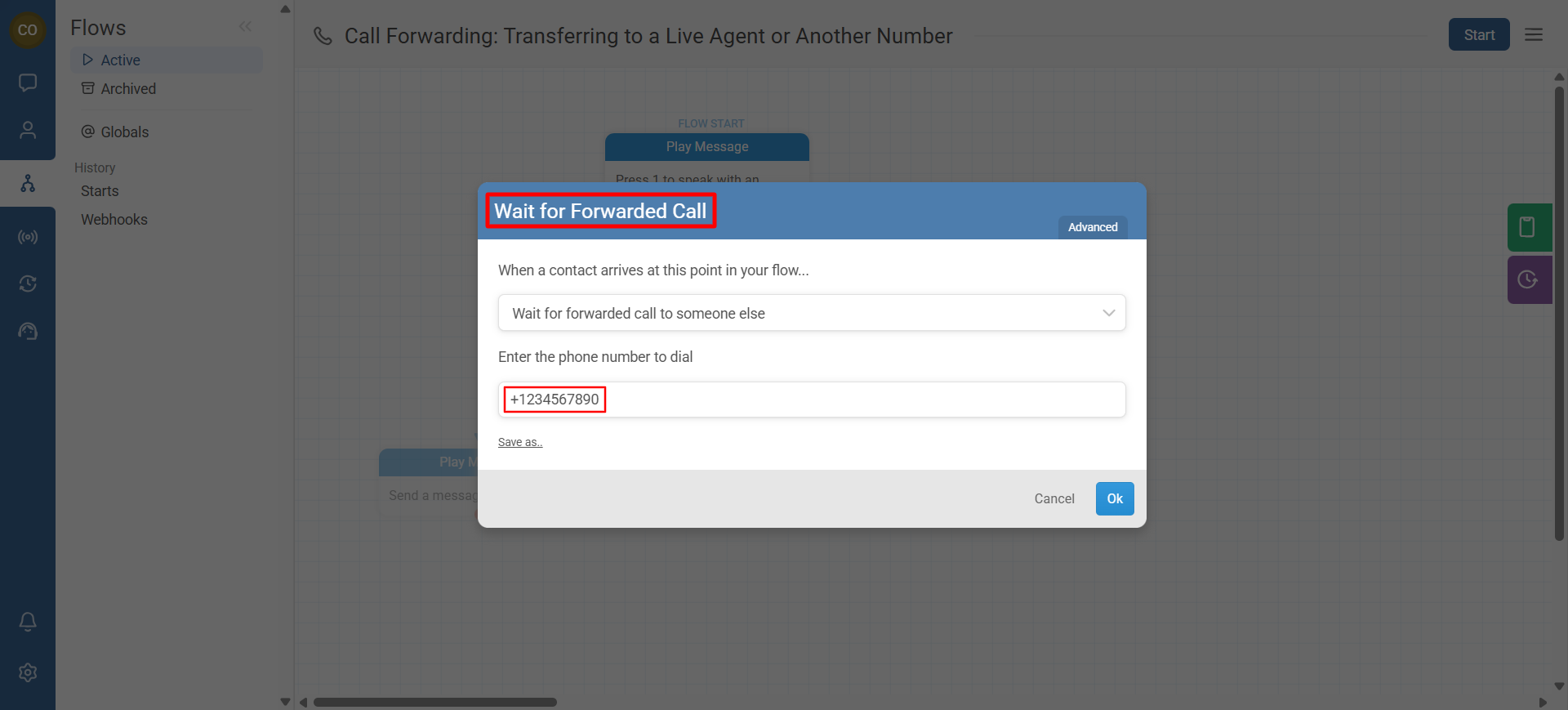
Goal: Forward the call to a target phone number.
- Add Wait for Forwarded Call in the branch where callers request an agent.
- Enter the destination phone number you want to forward to.
- Save the node configuration.
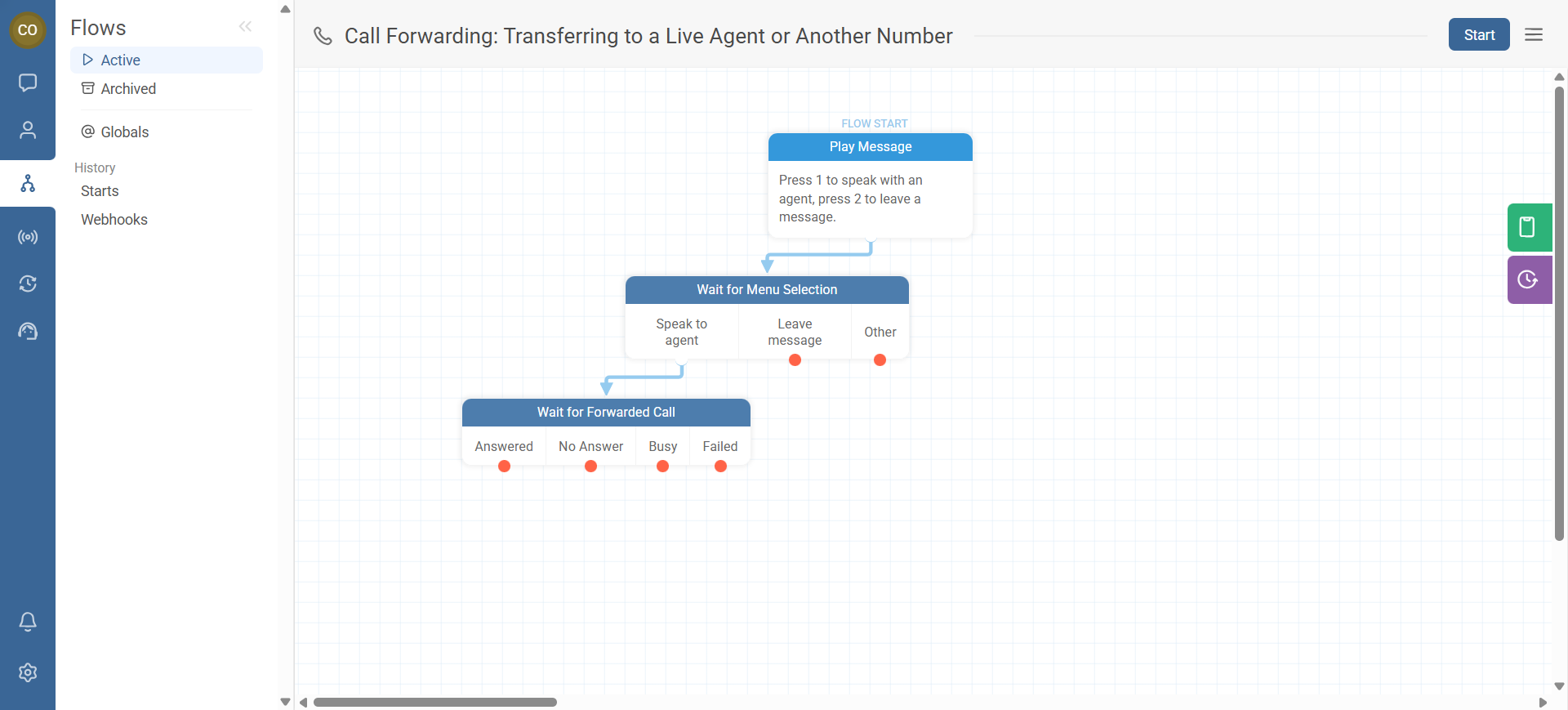
Goal: Ensure every possible outcome has a clear next step.
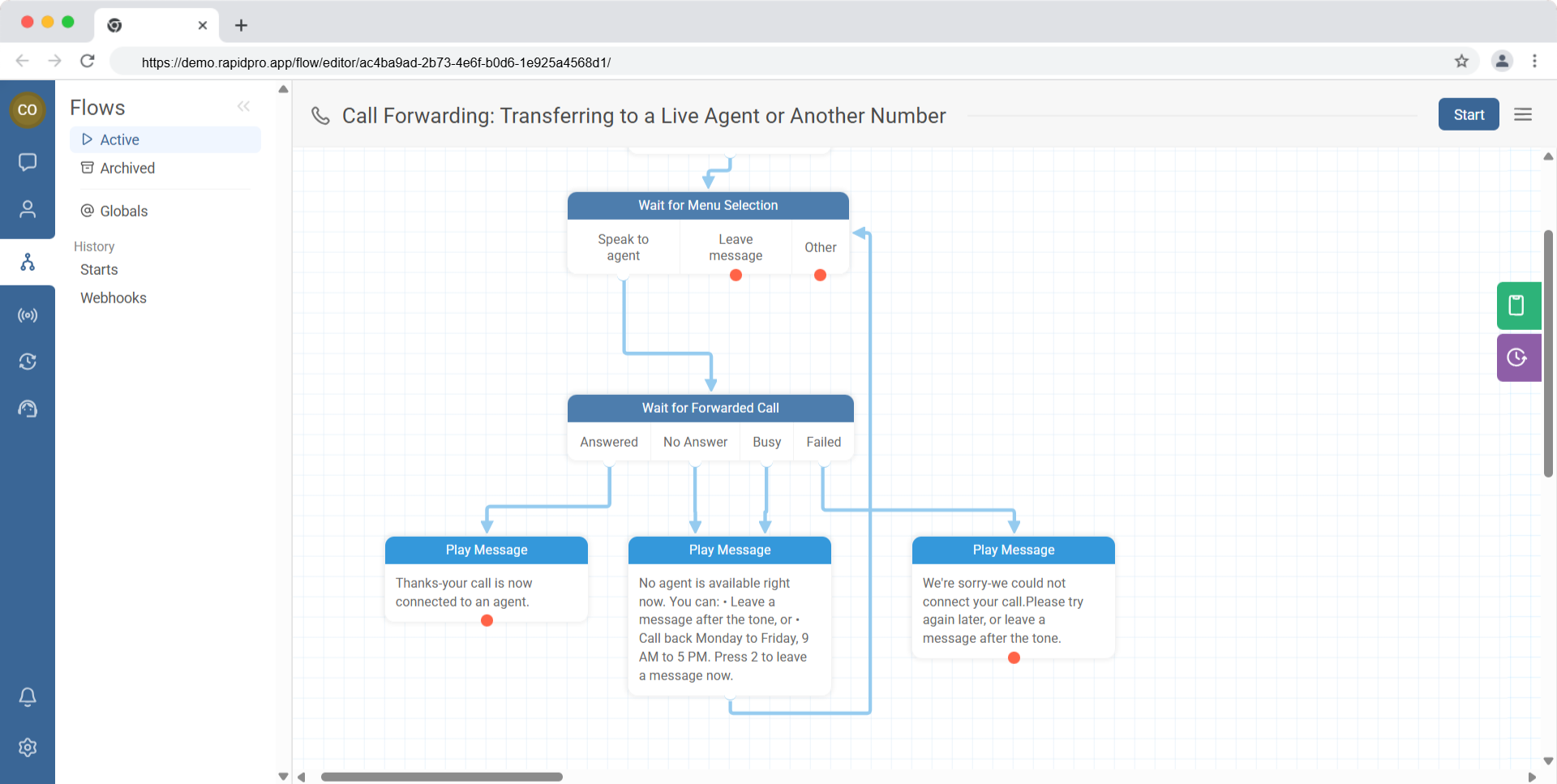
The Wait for Forwarded Call split provides four exits:
- Answered — the agent answered successfully
- No Answer — nobody picked up and the call disconnected
- Busy — the line was busy and the call disconnected
- Failed — forwarding failed
- Create a branch from each exit.
- Add a clear follow-up action for each outcome.
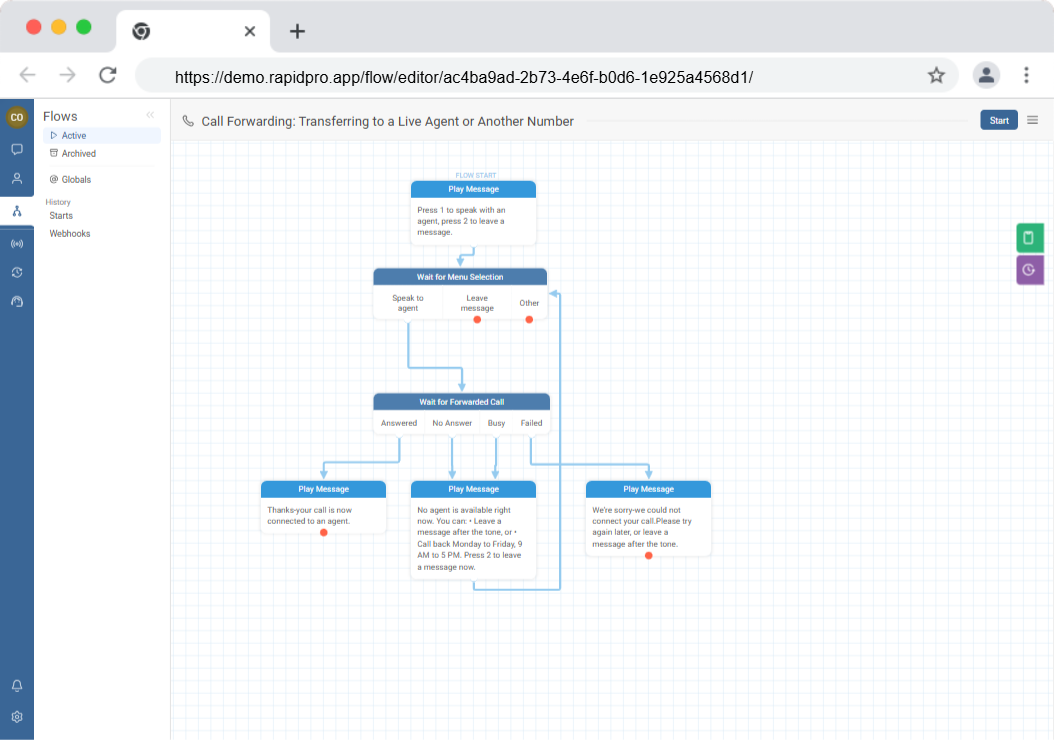
Goal: Support the caller based on what happened.
Recommended patterns:
- Answered: Play a short confirmation message (example: “Thanks—your call is now connected.”) or route to a wrap-up step.
- No Answer / Busy: Offer alternatives (leave a message, call back later, share support hours).
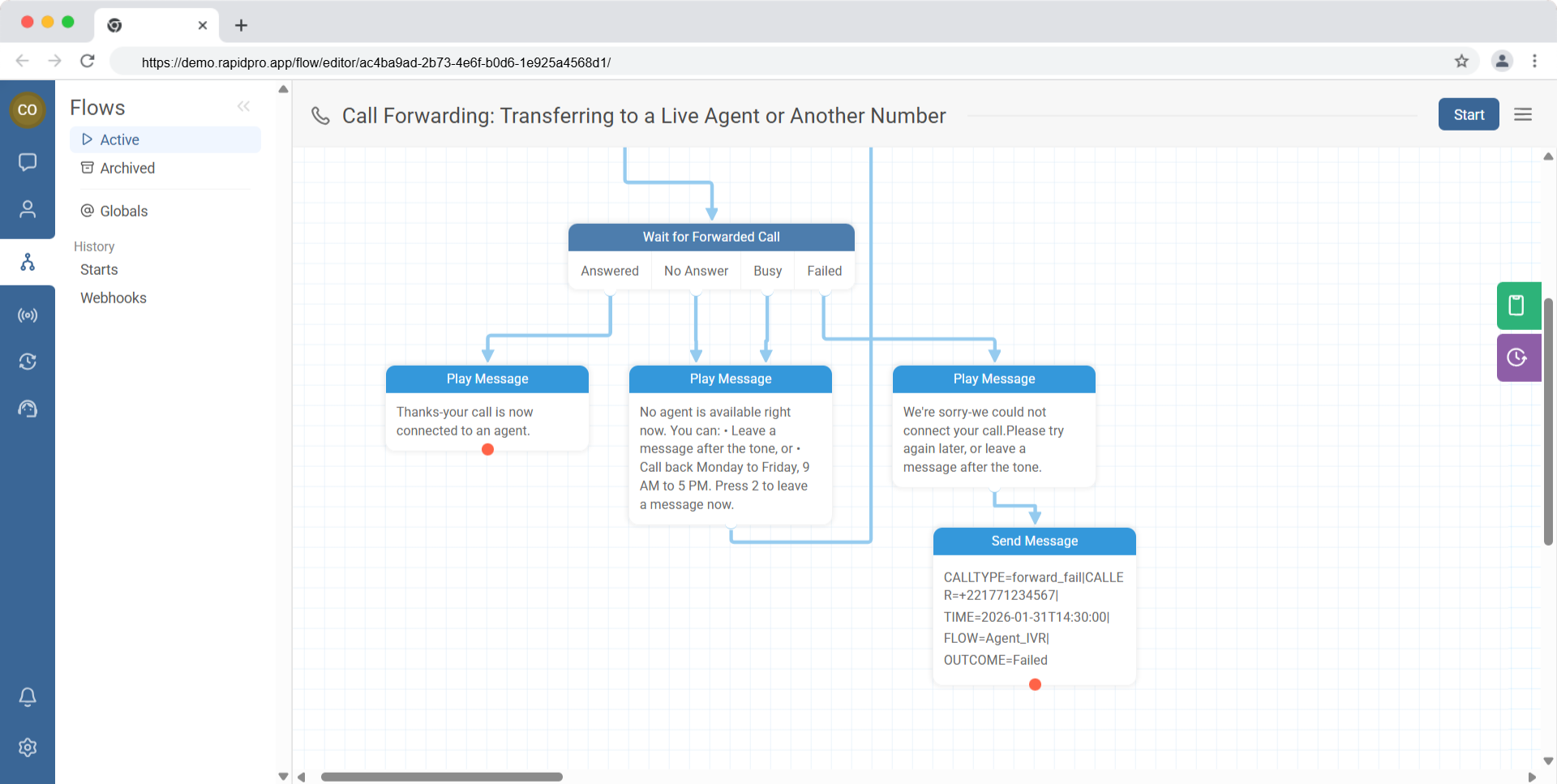
- Failed: Apologize, offer a fallback, and notify your team.
Goal: Make sure internal teams are alerted when calls can’t be forwarded.
- On the Failed branch, add Send Message to Third Party (or your equivalent internal alert action).
- Include key context (caller identifier, time, branch reached, and outcome).
Common Issues & Quick Fixes
The forwarded call never connects
Fix:
- Confirm the destination number is correct and can receive calls.
- Check Call Logs to see whether the outcome is Failed, Busy, or No Answer.
- Ensure your voice channel/provider supports call forwarding in your region.
Callers reach “No Answer” too often
Fix:
- Verify agent availability and coverage (hours, staffing).
- Add a short fallback message offering alternatives (leave a message, suggested call-back window).
- Consider adding a retry strategy (if your IVR design supports it).
I didn’t connect all 4 exits
Fix:
- Connect Answered, No Answer, Busy, and Failed to explicit next steps.
- Use a shared fallback branch for Busy/No Answer if you want a simpler design.
The caller doesn’t return to the IVR flow after the forwarded call
Fix:
- Confirm forwarding is implemented using Wait for Forwarded Call (not a different action).
- Check Call Logs for disconnections on the original call.
- Review your provider/channel settings if calls drop immediately after forwarding.